
Stop saving places in Notes.
Save the spots you love into lists, share them with one link, and see where your friends actually eat and drink.
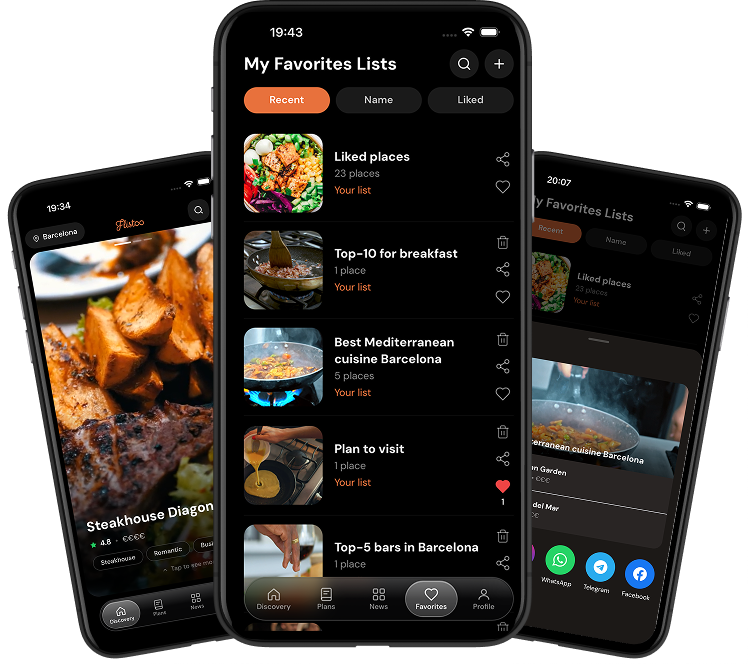
Explore. Save. Share. Plan.
No more screenshots, starred maps and chats you can't find. Flistoo keeps every place you want to try in one spot.
Find places worth the trip
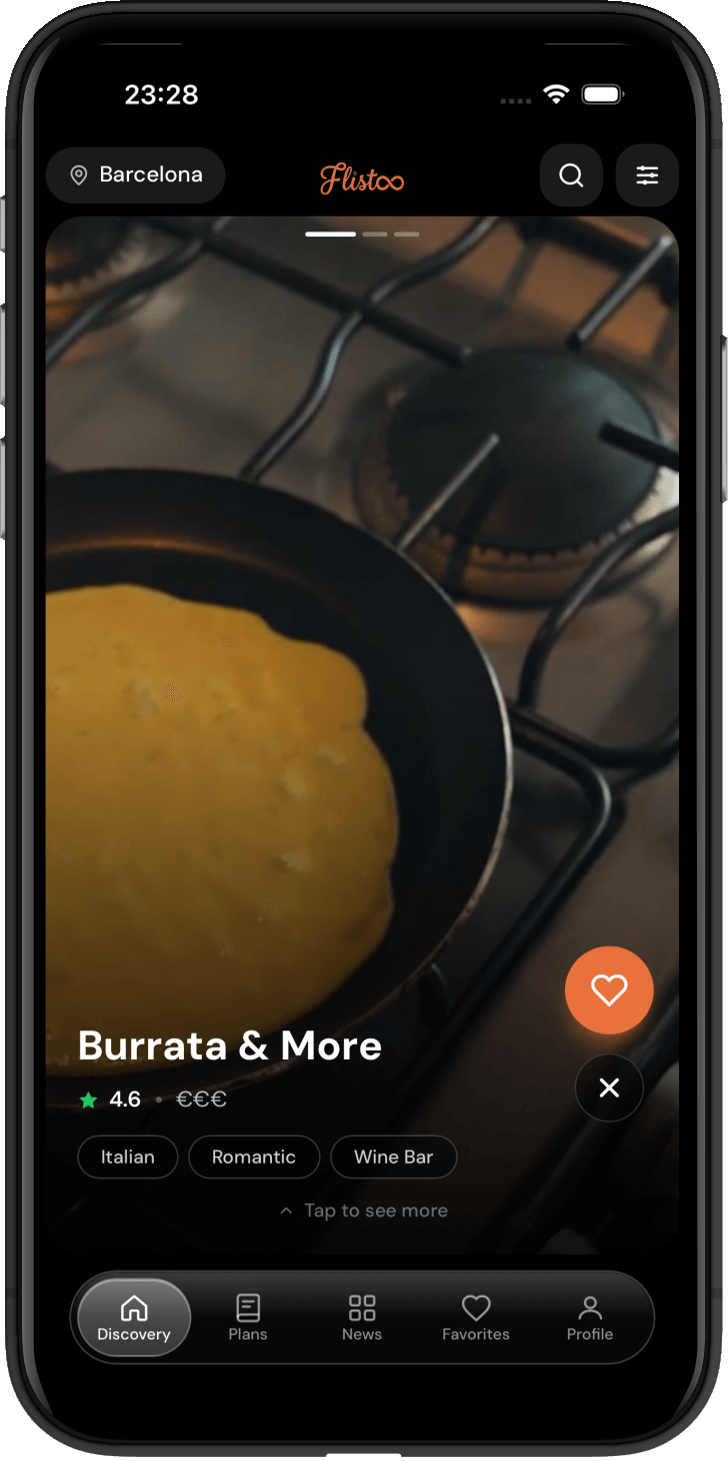
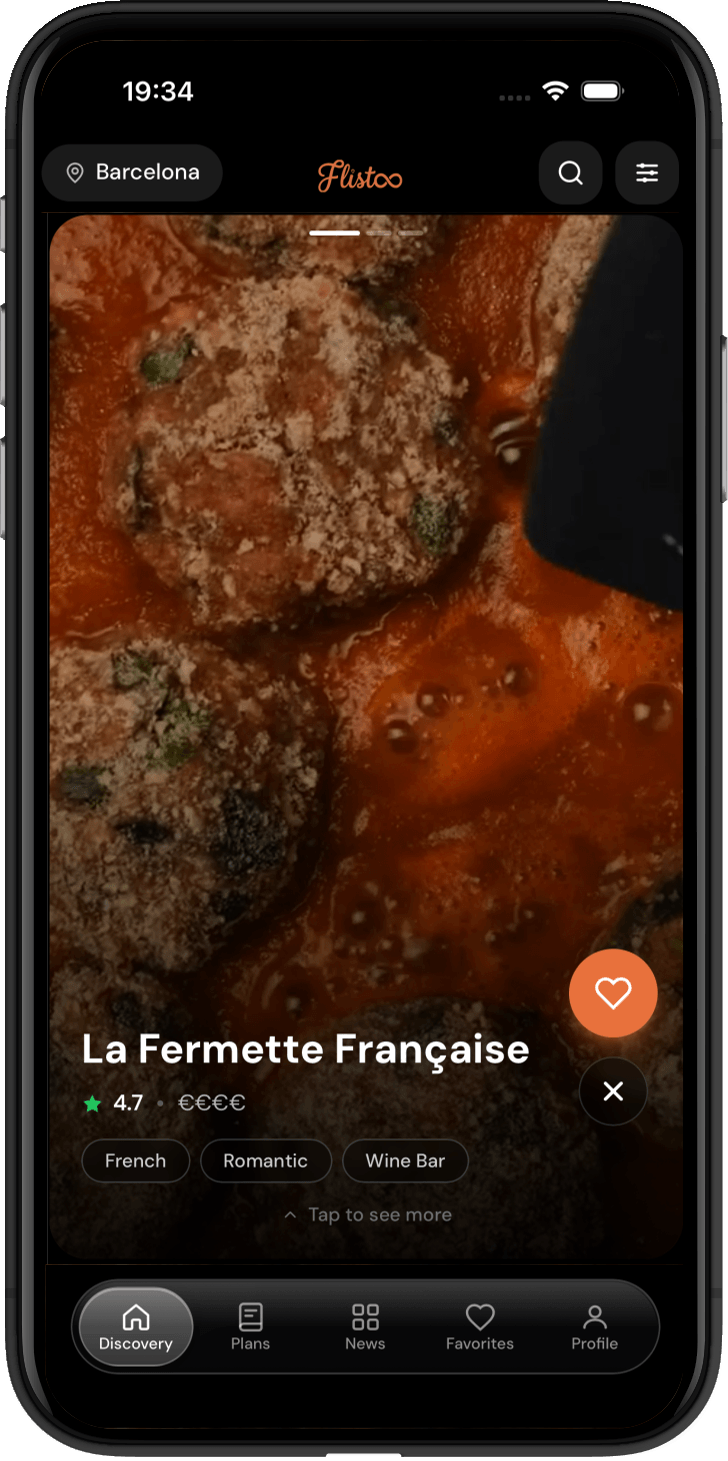
Swipe through restaurants, cafes and bars in your city. Every place shows real photos, tags, price level and how far it is from you.
One tap, every list you need
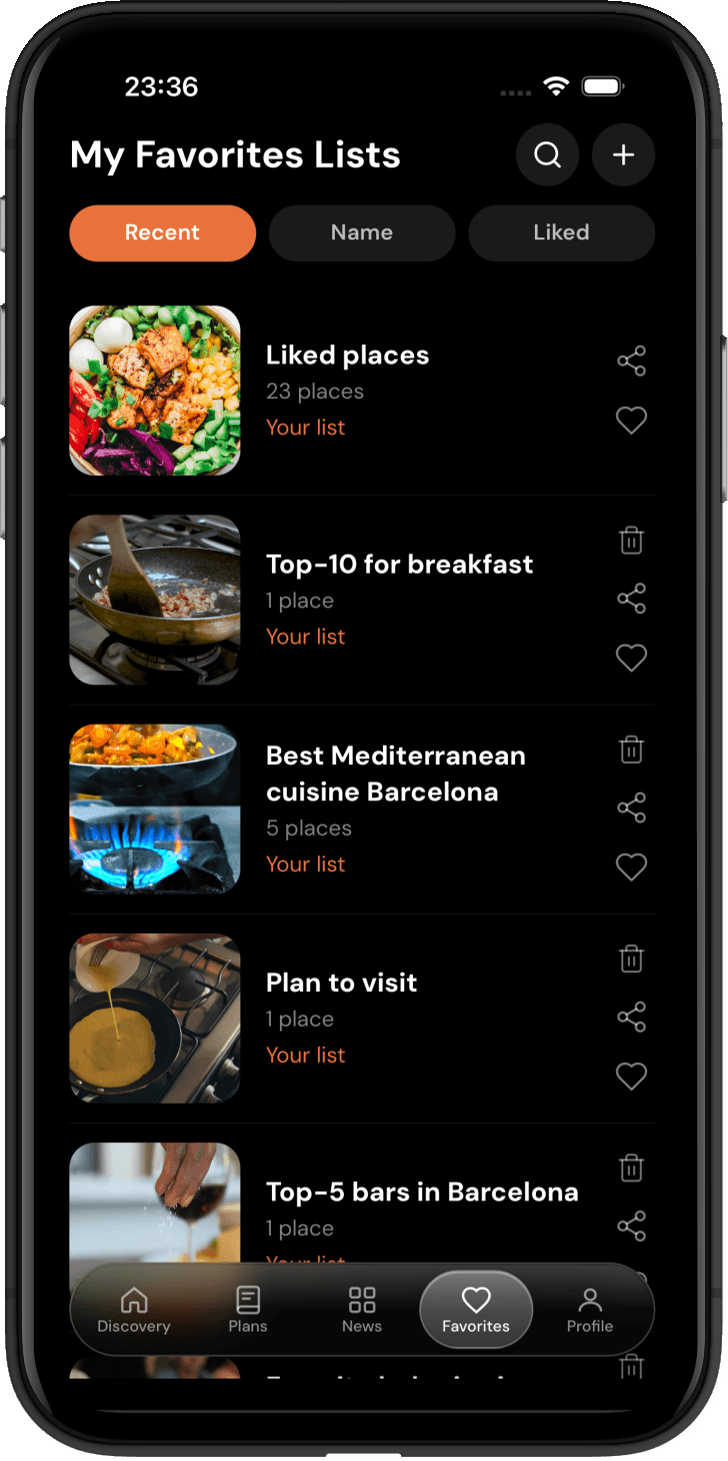
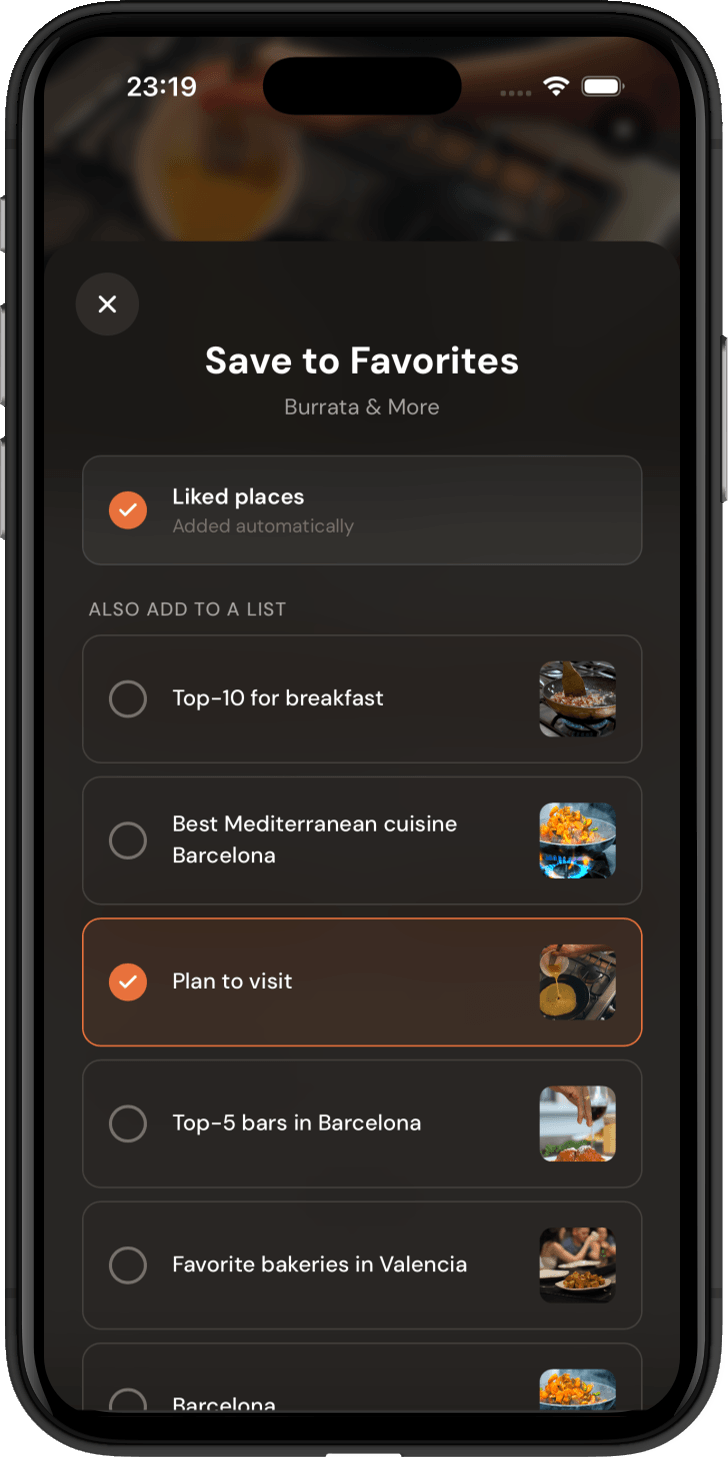
Save a place to Liked, "Plan to visit" or your own lists like "Top-10 for breakfast". One place can live in as many lists as you want.
Send your taste, not a screenshot
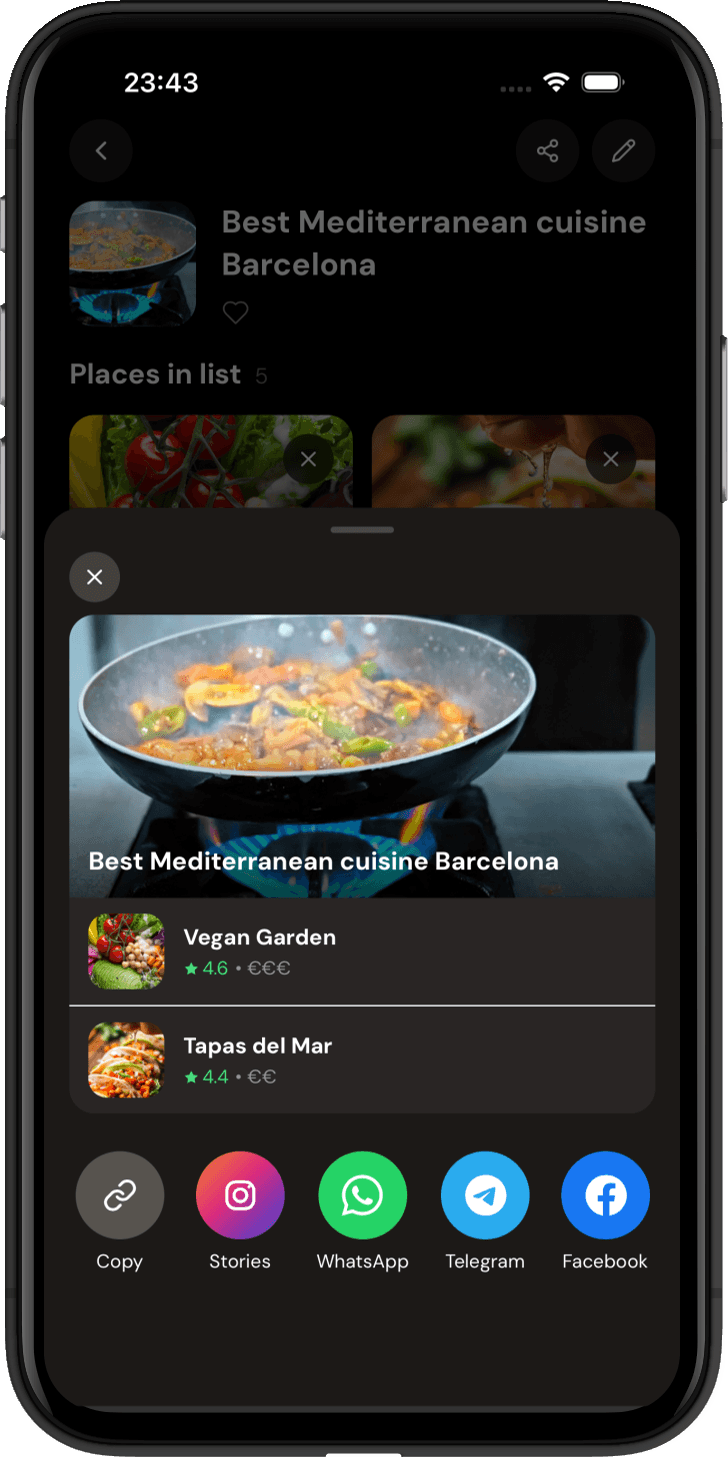
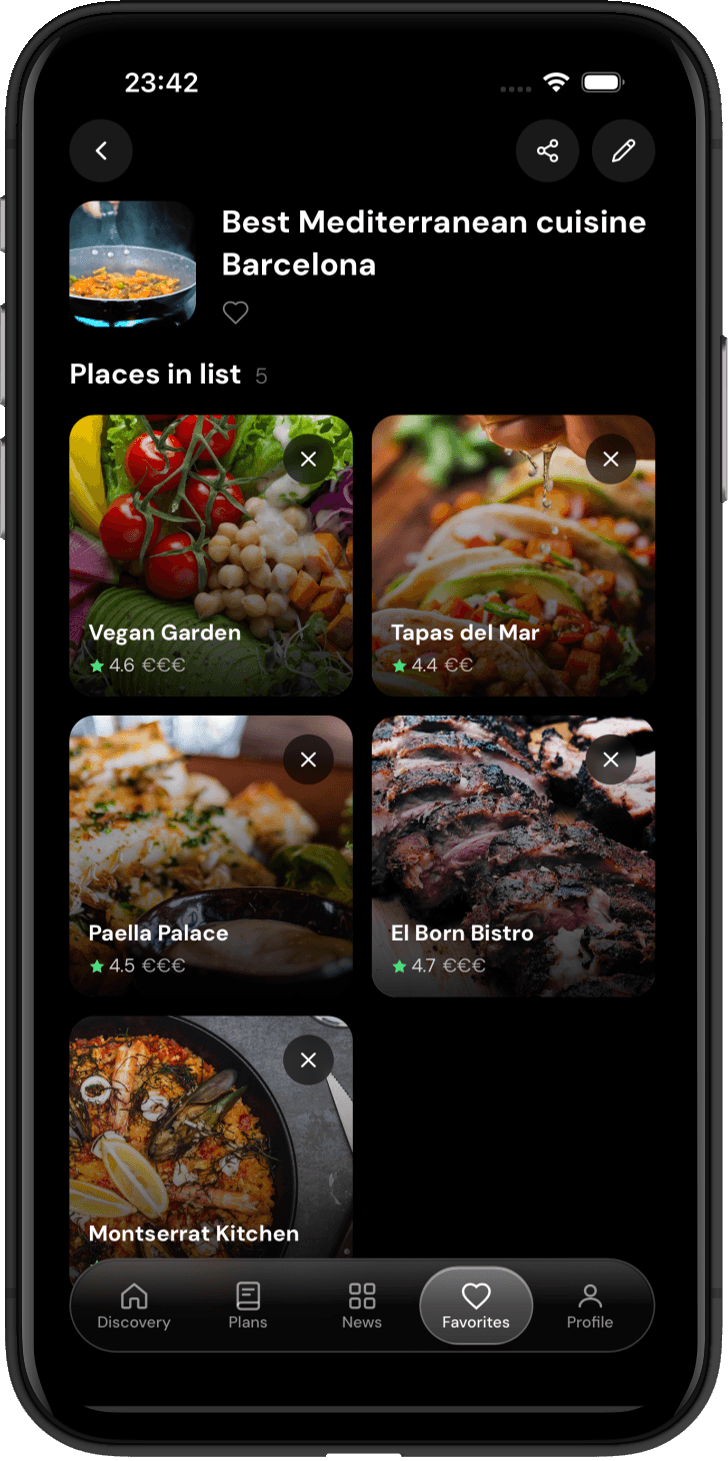
Share a whole list to WhatsApp, Telegram, Facebook or Instagram Stories, or just copy the link. Friends see every place, photo and address.
Turn "we should go" into a plan
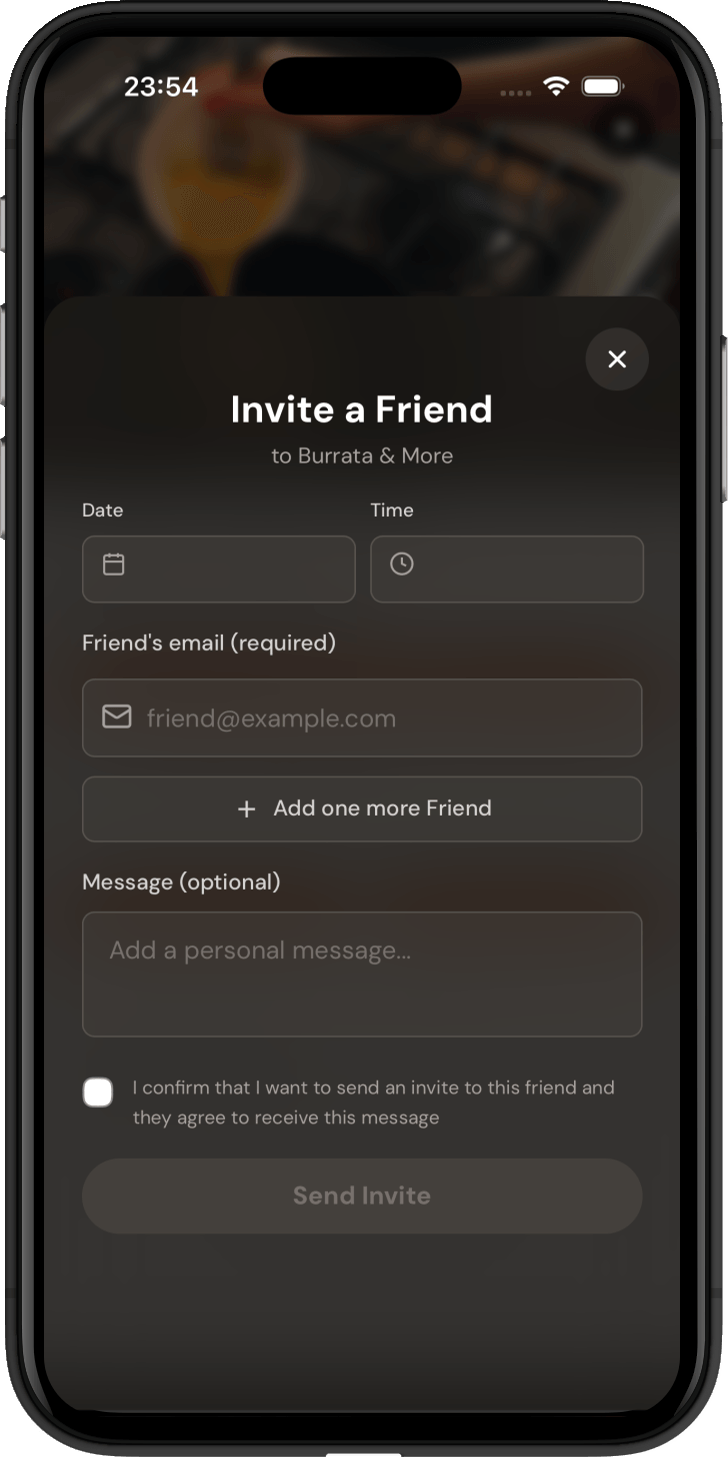
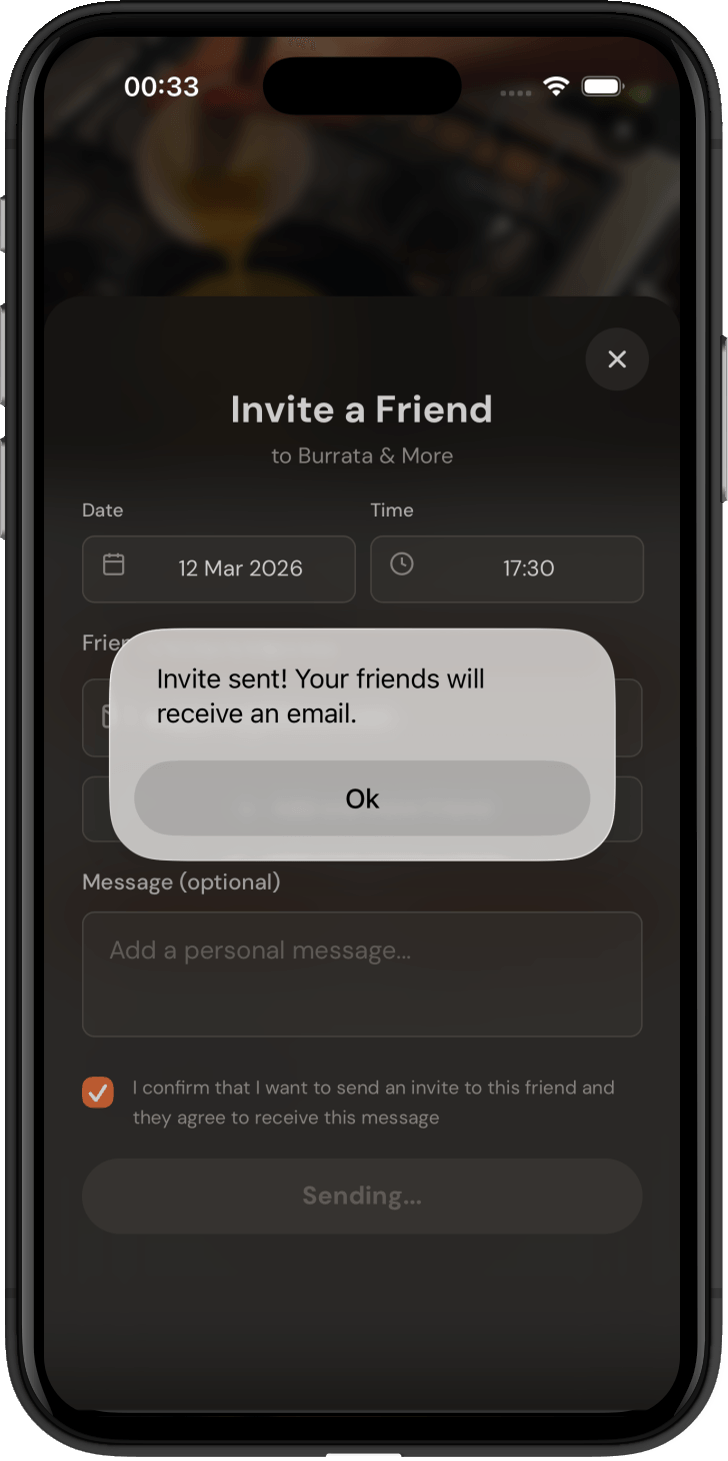
Pick a place, a date and a time, and invite friends straight from the app. They get the invite by email with everything they need.
A recommendation you can send
Is your venue on Flistoo? Claim it for free.
Update your hours, links and photos, and see how many people saved you to their lists.
Claim your businessWhat can I do in Flistoo?
Short answers to the questions people ask us most.
Can I add my favourite restaurant if it's not on Flistoo yet?
Yes. Tap "Add place", enter the name and address, and add a photo if you have one. Our team checks every new place by hand before it goes live, so the map stays clean and accurate. Once it's approved, the place is visible to everyone and you can save it to your lists.
Can I upload my own photos and videos of a place?
Yes. Open any place and add photos or short videos of the food, drinks or interior. Every upload is reviewed before it becomes public. Your content helps others see what a place looks like today, not three years ago.
Can I save one place to several lists at once?
Yes. Tap the heart on any place and the "Save to Favorites" sheet opens. Tick every list it belongs to, for example Liked, Plan to visit and Top-10 for breakfast, and it's saved to all of them in one go.
Can I create my own lists?
Yes, as many as you like. Name them your way: date-night spots, work-friendly cafes, bars to try in Barcelona. Each list shows how many places it holds, and you can keep adding to it whenever you find something new.
How do I share a list with friends?
Open a list and tap Share. Copy the link or send it straight to WhatsApp, Telegram, Facebook or Instagram Stories. Your friends see every place in the list with photos, ratings and addresses.
Can I plan a visit with friends in the app?
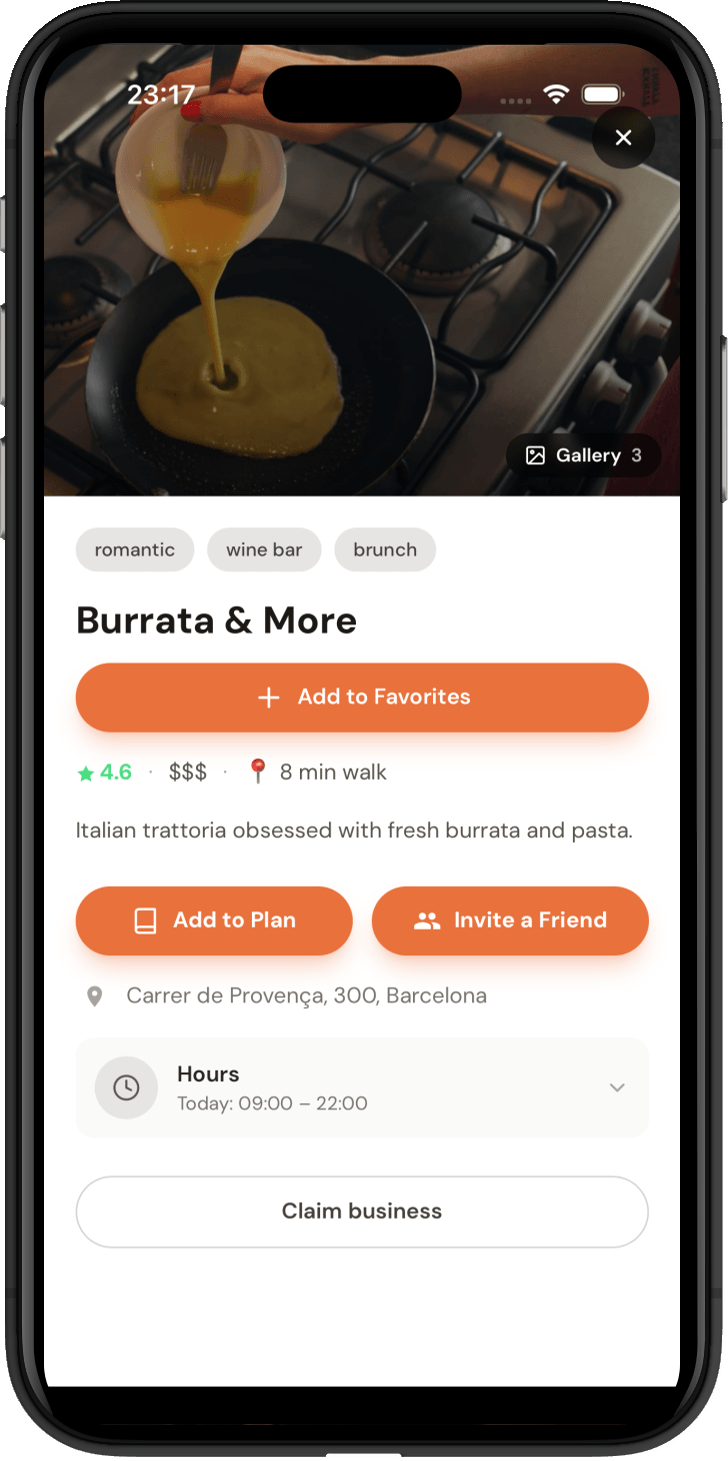
Yes. On any place, tap "Invite a Friend", pick a date and time, add your friends' emails and an optional message. They receive the invite by email with the place and all the details, so nobody has to dig through a chat to find where you're going.
How do I find good places in a new city?
Switch the city at the top of the Discovery feed and swipe through places there. Each card shows cuisine and vibe tags, price level, rating and how far it is from you, so you can decide in seconds and save the ones you like.
I own a restaurant on Flistoo. Can I manage its page?
Yes. Open your venue's page and tap "Claim business". After we confirm you're the owner, you can update the website, contacts and profile content, and keep your page accurate for the guests who find you.